Image Diff
Reveal two finishes at the same position using an accessible comparison slider.
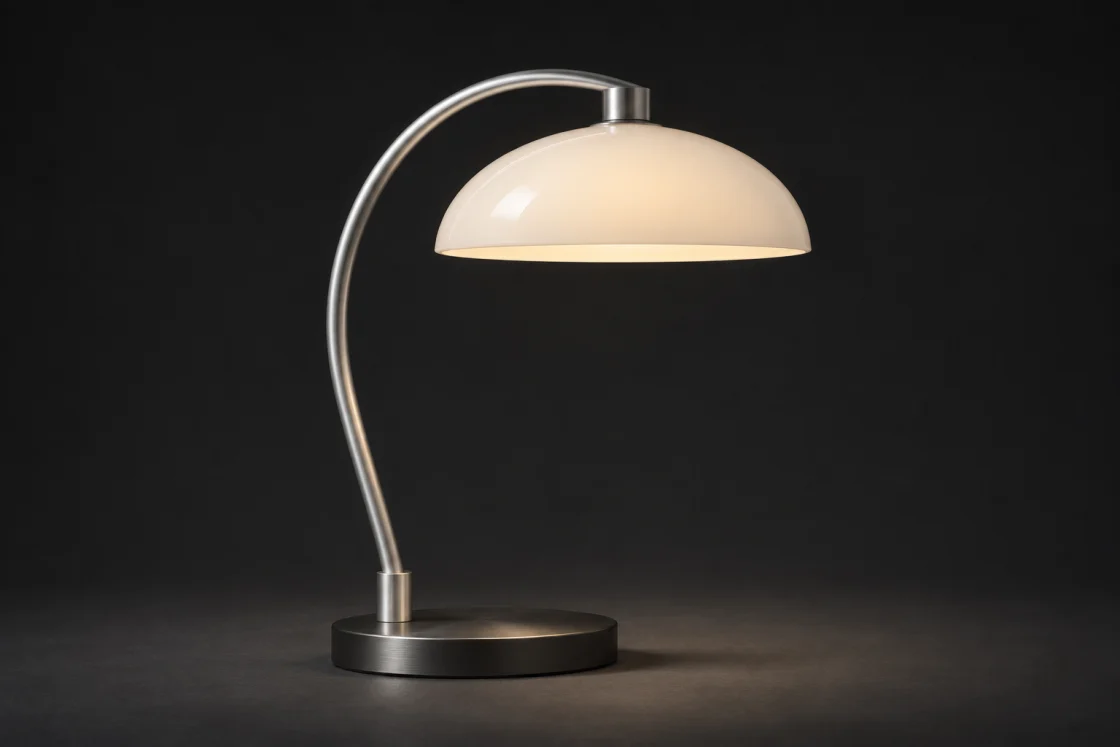
Soft ivoryGraphite
HTML
<rl-image-diff class="rl-media-card" role="group" aria-label="Compare Arc Task Lamp finishes">
  <div class="rl-diff-stage">
    <div class="rl-diff-image"><span class="rl-lamp-photo" data-finish="graphite" data-view="profile">
    <img src="/studio-lamp.webp" alt="Arc lamp with a graphite shade" width="1120" height="747" loading="lazy" decoding="async" draggable="false">
  </span></div>
    <div class="rl-diff-image" data-rl-before><span class="rl-lamp-photo" data-finish="ivory" data-view="profile">
    <img src="/studio-lamp.webp" alt="Arc lamp with an ivory shade" width="1120" height="747" loading="lazy" decoding="async" draggable="false">
  </span></div>
    <label class="rl-diff-control">
      <span>Reveal ivory finish</span>
      <input type="range" min="0" max="100" value="50" data-label="ivory" aria-valuetext="50% ivory">
    </label>
    <span class="rl-diff-line" aria-hidden="true"><i>↔</i></span>
  </div>
  <div class="rl-diff-caption"><span>Soft ivory</span><span>Graphite</span></div>
</rl-image-diff>
Drag the divider or focus the slider and press the arrow keys. The original photographs remain available as labelled images.
Use in your app
Copy these tags into your page head once. Serve the files at the paths shown, then add the example’s template to your page.
Page assets
<link rel="stylesheet" href="/mero.css">
<link rel="stylesheet" href="/mero-gallery.css">
<script defer src="/mero.js"></script>
<script defer src="/mero-gallery.js"></script>